I tried writing a 383-byte file and got this:
I2C> eeprom write -d 24x512 -f 384b.bin -a 0x50
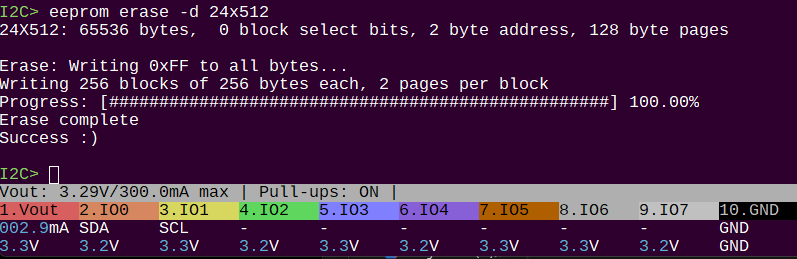
24X512: 65536 bytes, 0 block select bits, 2 byte address, 128 byte pages
Write: Writing EEPROM from file 384b.bin…
Warning: File smaller than EEPROM: writing the first 383 bytes
Writing 256 blocks of 256 bytes each, 2 pages per block
Progress: [ ] 0.39%Error writing EEPROM at 256
Can it be getting the 256 block size from something other than the device lookup, like something it reads from the eeprom?
Or something to do with the file being smaller than the eeprom?
To confirm our discussion last night: Writing 256 blocks of 256 bytes each, 2 pages per block means writing X blocks of 256 byte address space. There are 2 pages per block (256/2 = 128 byte pages).
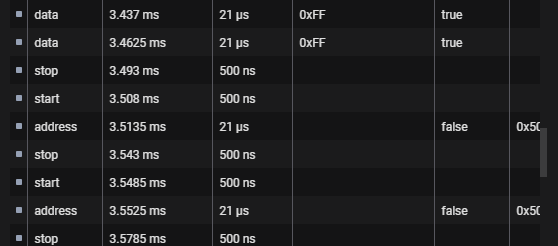
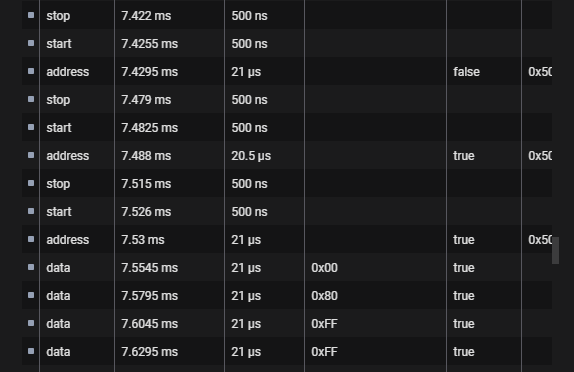
Getting many NACKs after a write is initiated is expected. When a write is in progress the I2C EEPROM does not respond to its address. When it is ready for the next write it will respond. The Bus Pirate polls for the ACK so it knows when to send the next page of data.
After several 100 NACKs We get an ACK and then the next page is sent.
It would be useful to see the last bit of logic analyzer activity, the place causing the EEPROM command to error out.
Error writing EEPROM at 256
I assume this means it managed to write the first 2 pages of 128 bytes and failed on the third? If you eeprom dump -d 24x512 do the pages appear erased?
I see two ways the EEPROM command can quit due to errors:
Chip doesn’t ACK a byte
Timeout
Timeout would only apply if clock stretching is enabled in configuration. Try The following settings:
Let this serve as an object lesson for other. I apologize for wasting your time.
My USB power source was providing 0 Volts, so the only power to the eeprom was what it got from the BP’s SCL and SDA.
With that fixed, the eeprom responds to erase and write as documented