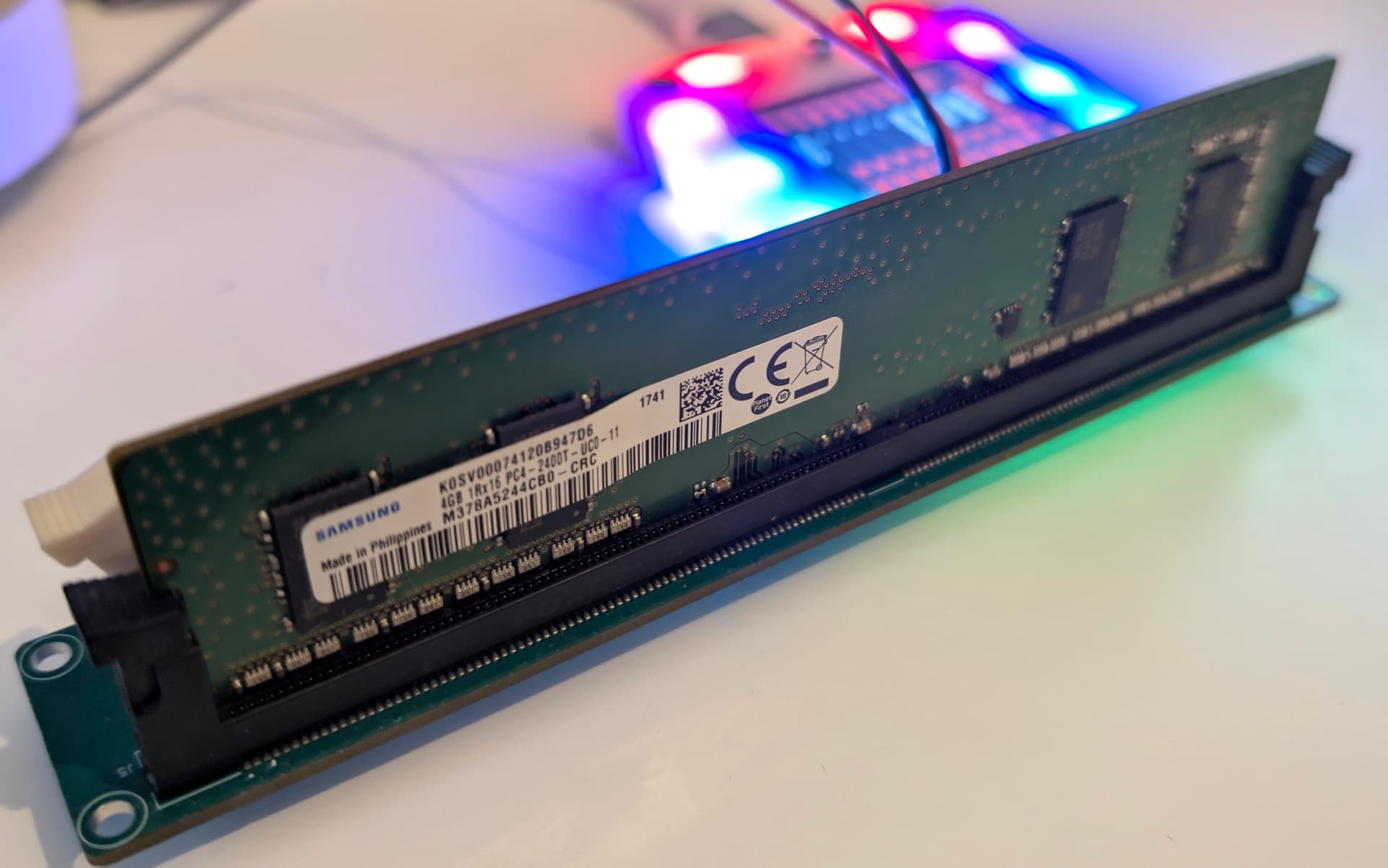
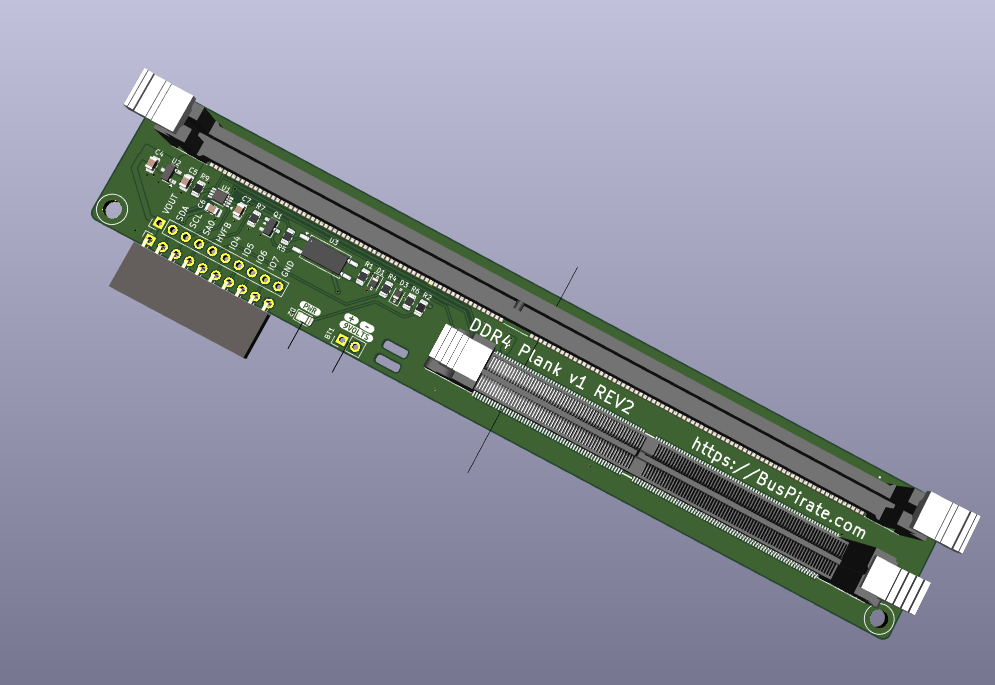
It appears blocks 0 and 1 are protected, while 2 and 3 are unprotected. That seems pretty normal.
The next step should probably be to make a full backup of the SPD What I actually want to do is hook up the 9volt supply and change the protection bits. Backup first though, backup first
Used the generic i2c dump command to backup the DDR4 SPD to files. Noticed that i2c did not actually have save to file enabled, so I’ll push that shortly.
I gained a lot of my understanding from this project, which has a SA1 control circuit. This may be needed for older DDR, but it seems useless on the DDR4 board. I’m going to remove SA1 control.
I also think a hole in the board right here might be nice. Big enough for a zip-tie to hold the 9volt power cable to the board so it doesn’t get lost in the parts bin.
I had to do that on my blank plank glitcher. The gate on the FET floated when I disconnected the plank momentarily and burned out the small FET shorting the target to ground. Oops.
The proper thing to do is build a ddr framework to reuse for every version, but at this stage I’m just enjoying writing bespoke code for each. Maybe we can do a framework later, or maybe this is good enough.
Read a data sheet for a DDR1/2/3 EEPROM. Seems really similar to DDR4, I could see them becoming part of a combined DDR framework which could make implementation really fast.
The older eeprom is where manipulation of address pin 1 seems to come into play.
I’ll try to source a full set of common sockets and have boards made up for the remaining DDR versions.
DDR4 SPD General Section Information:
=====================================
SPD Bytes Used: 384
SPD Bytes Total: 512
SPD Revision: 1.1
DRAM Device Type: DDR4 SDRAM
Module Type: SO-DIMM (0x3)
Nominal Voltage Support:
  1.2V: Yes
  1.35V: Yes
  1.5V: No
Thermal Sensor: Not present

DDR4 SPD Manufacturing Information:
==================================
Module Manufacturer ID: 0x9801 (Kingston)
Manufacturing Location: 0x05
Manufacturing Date: Year 18, Week 38 (2018-W38)
Module Serial Number: 0x92A02484 (2459968644)
Module Part Number: "ACR24D4S7S8MB-4"
Module Revision: 0.0
DRAM Manufacturer ID: 0x2C80 (Micron Technology)
DRAM Stepping: 0x42
Probe command decodes some of the SPD general and manufacturer info. I’m not 100% sure on the serial number as it is doesn’t match anything printed on the module label.
I found a $4 ewaste UDIMM, it should arrive Tuesday. After testing to make sure the UDIMM connections are correct, I’ll revise the board and order new prototypes.
Tomorrow I’ll write command docs and a device demo (using the posts here).
My idea was to make this “breadboard” friendly. 9 volt needs to be applied to SA0 pin during any lock or unlock operations. These take time, so we poll 0xa1 for ACK indicating operation is complete.
Yes, the Bus Pirate can control the 9 volts on the plank. But what if you were plankless? Then it might be handy to manually apply 9 volts or perhaps have a manual slide switch.
With that in mind, I simply polled the “new” write address during lock changes so 9 volts could be applied for the whole operation.
For example the address is 0b1010-A2-A1-A0 where Ax is the state of voltages on the address pins. Normally this is 0b1010000 (all address pins low). When A0 is at 9 volts the address changes to 0b1010001… At least it did on the SODIMM.
However, with the UDIMM the address doesn’t change. In fact the “normal” read write addresses disappear completely!
The datasheet I’m following suggests a 4ms write time. We only need to use this during lock/unlock, which are single operations, so we’re probably safe just relying on a 100ms delay between operations?
That’s amazing stuff! I’ve never played with DDR, other than plugging them in to a board, haha
I did see a minor typo near the end - in the help section it states that options tell the “flash” command what to do. Looks like the kind of copy/paste thing I do all the time.
Makes me want to get the prank for no reason other than to just play with things, which is kind of the point, right?
Thank you, I pushed a fix for that and a similar error in ddr5 docs.
I was really interested in this one because while it’s a just a weird old simple EEPROM, if I looked in the Linux kernel etc to see how it works I’d be totally lost. Really fun to poke around in something that I use everyday but don’t really know a lot about.
It also seems like there is some interest in reviving DDR, and it might be useful to others. The Arduino project that inspired this little journey had dozens of pages of comments on the evga forum (before it went dark). But that still involved soldering leads onto DIMM adapters, which is probably out of reach for most PC hackers that just want to get on with it.
As of this morning we are back ordered on the DDR5 plank, and a distributor took a big chunk of the first batch. I’m hopeful we’ll save at least a few modules from the landfill.


 What I actually want to do is hook up the 9volt supply and change the protection bits. Backup first though, backup first