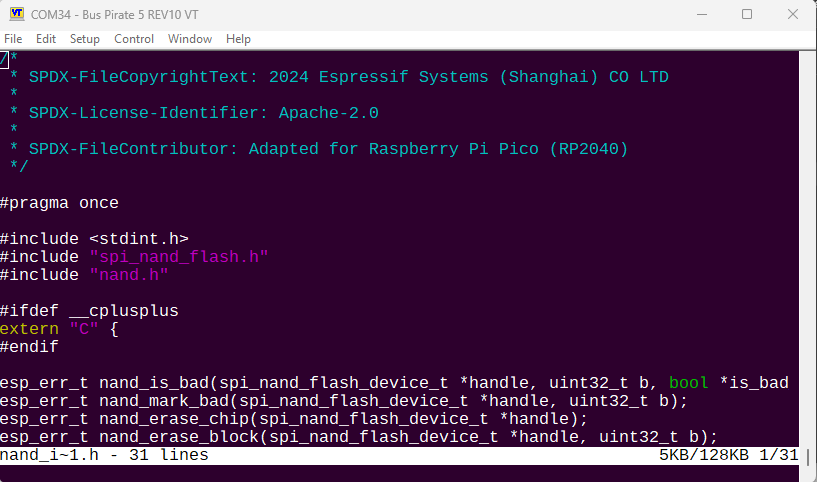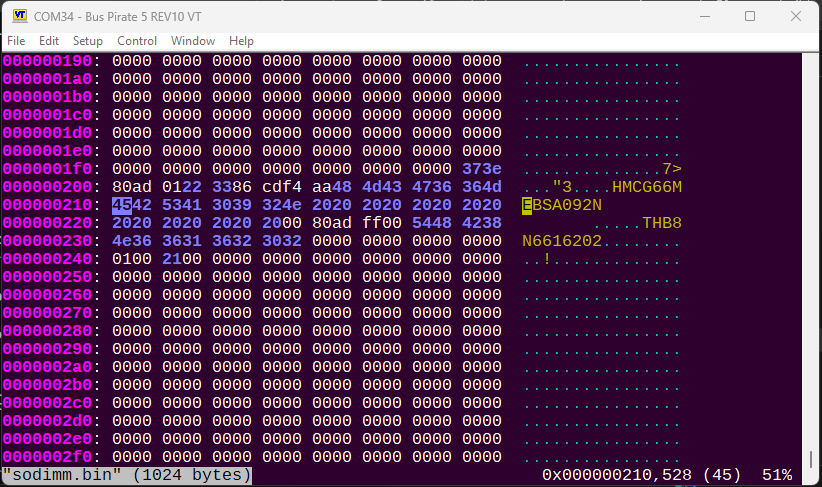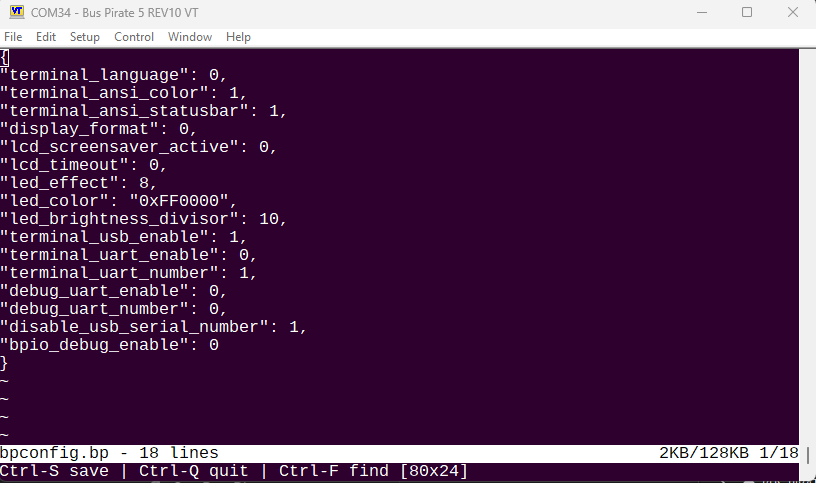
Currently working on a text editor using kilo.
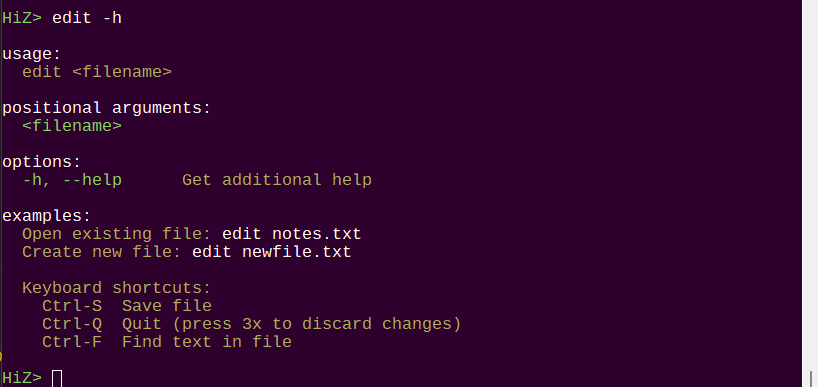
Seems to be working, pushing to experimental branch.
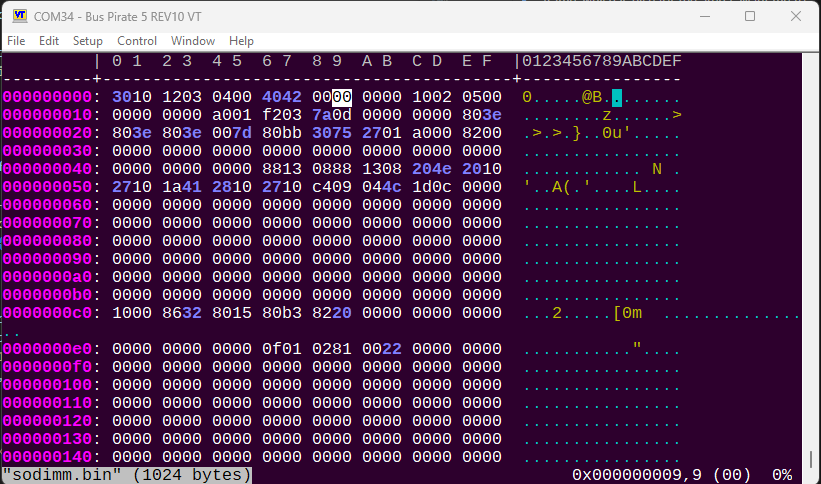
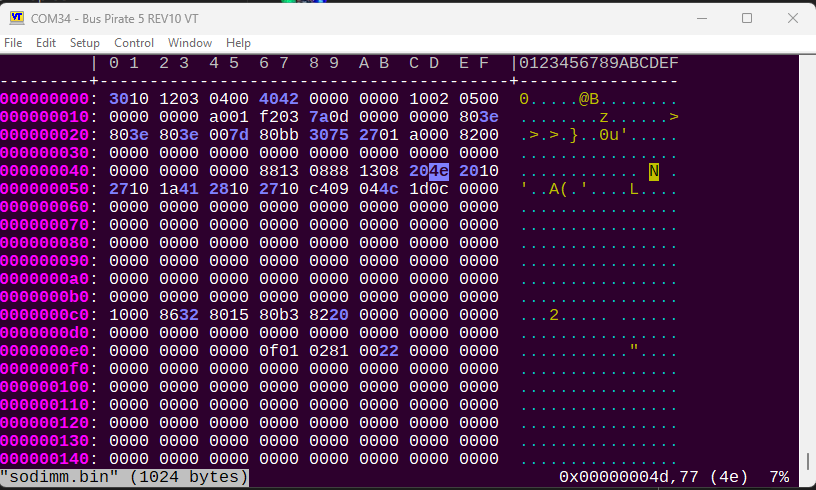
Now hexedit
/me runs
~20 characters~
@AreYouLoco Like this?
Integrated hx a small hex editor inspired by the Kilo text editor. From hx docs:
CTRL+Q  : Quit immediately without saving.
CTRL+S  : Save (in place).
hjkl    : Vim like cursor movement.
Arrows  : Also moves the cursor around.
CTRL+F  : Scroll one screen forward.
CTRL+B  : Scroll one screen backward.
PgDn    : Same as CTRL+F.
PgUp    : Same as CTRL+B.
w       : Skip one group of bytes to the right.
b       : Skip one group of bytes to the left.
gg      : Move to start of file.
G       : Move to end of file.
x / DEL : Delete byte at cursor position.
/       : Start search input. "\xYZ" can be used to search for
          byte value YZ, and '\' must be escaped by another '\'
          to search for '\'.
n       : Search for next occurrence.
N       : Search for previous occurrence.
u       : Undo the last action.
CTRL+R  : Redo the last undone action.

a       : Append mode. Appends a byte after the current cursor position.
A       : Append mode. Appends the literal typed keys (except ESC).
i       : Insert mode. Inserts a byte at the current cursor position.
I       : Insert mode. Inserts the literal typed keys (except ESC).
r       : Replace mode. Replaces the byte at the current cursor position.
:       : Command mode. Commands can be typed and executed (see below).
ESC     : Return to normal mode.

]       : Increment byte at cursor position with 1.
[       : Decrement byte at cursor position with 1.

End     : Move cursor to end of the offset line.
Home    : Move cursor to the beginning of the offset line.
Being in normal mode (ESC) then hitting the colon key :, you can enter command mode where manual commands can be typed. The following commands are recognized currently:
:123 : go to offset 123 (base 10):0x7a69 : go to offset 0x7a69 (base 16), 31337 in base 10.:w : writes the file.:q : quits (will warn if the buffer is dirty).:q! : quits promptly without warning.set o=16 : sets the amount of octets per line.set g=8 : sets grouping of bytes.Input is very basic in command mode. Cursor movement is not available (yet?).
There is an occasional but noticeable display bug in the ‘hexedit’ command. It only occurs sometimes when holding the arrow keys and they repeat. If you land on the jackpot, but hit arrow once to fix it. But yuck.
I spent a while trying to manually debug, but the issue persists. Tomorrow I’ll strip it down and rebuild the rendering pipeline and see if I can get it going.
Solid as a rock. The hx hexeditor was a bit lazy and sent a VT100 color reset sequence after every hex and ascii digit, resulting in 15K screen buffer/updates. This… had consequences. It now tracks color and only issues change commands when needed. This removed all the display bugs.
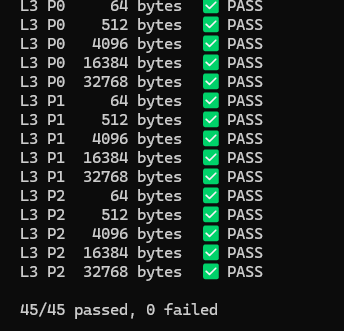
However, that pointed to an issue in the USB stack. So a new txtest (hidden) command saturates the USB stack with up to 32K at a time, using different breaking patters and a CRC. A python script does a full sweep test of 45 different combos to make sure nothing is lost. They all passed.
So the display bug remains unknown, but the solution was the right efficiency move anyways.
I have one more feature to investigate before moving on from the VT100 refactor, then I’ll probably move onto a system_config struct refactor we’ve already analyzed.
Latest experimental firmware pushed.
You say it “removed” the display bugs, but I don’t think that’s known to be accurate (yet). I fear that instead you’ve hidden a heisenbug. This is a great use of credits to burn … who knows, maybe the LLM can find something worth looking at?
For your tests, it sounds like you (reasonably) think the bug is where the host is sending many individual keypresses. Would this result in very small packets … likely just a few bytes usable data per packet? It looks like your smallest test packet is 64 bytes of actual data … what result is the data packet is only partially filled with backspaces during the hex editor being active?
Also, looking at the corruption suggests something is trying to output an ANSI sequence, so this is VERY likely a race condition in the output handling. If that is true, and you lose this good repro, it might be a long time of rare but consistent reports before you see it again.
This bears reverting the commit with the display issue, and digging deeper. I think it will pay dividends, especially if you have multiple LLMs review and give thoughts (and critique the other LLMs’ solutions  ).
).
I completely agree.
I spent two days tearing it down to the studs. Including pushing data through the lowest USB layer, and doing saturation tests. Several agents ground on it for hours.
It certainly seems like there is a memory allocation error (no, it happens from a static buffer as well), some kind of mid sequence injection of vt100 (no, disabled all other sources), or a USB stack issue (stress tested every layer). I couldn’t find it.
Ok, I hear you … memory ordering / acquire / release semantics are 100% wizard-level territory. Almost zero percent of folks ever even need to hear those terms, let alone understand them, let alone generate a working ARM multicore lock / queue / mutex / etc.
As a first step, may I strongly recommend testing a simple swapping out of the SPSC for a standard PICO SDK-supported queue?
If the problem still reproduces, then the custom SPSC isn’t the (only) cause. But if the problem disappears … twice bitten, now we can be extra-shy about custom queues. 
Yeah that’s sounds reasonable.
I’ll also look at the spsc test rig. It was pretty comprehensive because I was nervous about rolling own queue, but I’ll add some further test cases that reflect the hexedit conditions.
And in case I’ve forgotten to post somewhere …
The ton of new features you’ve put together these last weeks is AWESOME!
Back to the SPSC queues … If the issue happens to be related to multi-core write ordering (relative publishing times)… I don’t think you’d normally be able to force the situation where writes by the CPU were re-ordered, in a way that triggers the bug. The lack of testability is one reason it’s really important to leave queues, mutexes, etc. to the platform library. Worse, even if implemented correctly, sometimes there are platform bugs that mean even a proper implementation won’t work right … and the SDK has the tests and workarounds to ensure proper behavior is retained.
Just my $0.32 based on experiences … usually painful ones.
To be fair, this was a Saturday afternoon lol But thank you for checking out the new stuff, I’m pretty happy with the direction we’re headed.
I likely missed (or forgot) the genesis of the SPSC. Was this driven by a performance issue?
If so, perhaps an API change that allowed for multiple bytes to be added / removed at once could help at least as much, if the producers tend to have multiple bytes to add (which I think is true).
Also, consider adding in parameter to the initializer indicating which core is producer, and which is consumer. This is because the queue breaks badly (deadlocks, etc.) if used incorrectly. Store in additional fields for the SPSC queue structure.
Then, in functions only intended to be called by a given core, verify the proper core is the one calling. See macro BP_ASSERT_CORE1() for an starting point.
Why is this needed? Currently, no way to detect improper use of the SPSC queue outside manual code review. Better to have some automated checks, at least in debug builds (and to run those by default during development).
(edit: And yes, I’m presuming the SPSC is at least partly involved … either by misuse or by subtle bugs. Not an area I’d trust LLMs with; They may talk the talk and walk the walk, but something this esoteric … probably needs careful “real” eyes.)
Yeah I’m suspisious as well. Originally it was a code review with recommendation to implement a specific library from github. When I asked it to go ahead instead of implementing the library it “did stuff”, but the test rig looked OK and I thought give it a try.
Since then I’ve picked up on this behaviour and have added base directives to always use shims and stay mergable with upstream source. Everything but the queue have been done this way. So maybe just poke at it to use the originally recommended library.
I did review the recommended library and the parts we actually use seem identical.
It’s going to take me a few days (or weeks  ) to review the VT100 refactored code. After that I’ll swoop back into the queue.
 On it.