I didn’t say never, just unlikely  I have thought of a solid way to handle resetting the flag between runs, so I’ll add that.
As far as 'dude goes; it just sends commands to the programming hardware interface - the BP in this case. Go get this many bytes starting from this address. It is up to the interface to handle the addressing properly - maybe it’s SPI/ISP, maybe it’s JTAG; the point is that 'dude is agnostic as far as those specifics go.
I think this problem goes back to the BP 3 - I’m not sure because I’ve always used an AVR Dragon with avrdude, but it seems so because there’s an old issue in their repo about it.
With all of that in mind, it’s my opinion that it’s entirely up to the Bus Pirate side to fix, and that’s what my proposal to the 'dude folks was about.
Again, I think it goes back to 'dude being more-or-less agnostic to the physical programming interface/emulator. Also, I don’t know who wrote the BP drivers for avrdude.
There's a pretty big list of things 'dude can talk to
  2232hio            = 2232hio based on FT2232H with buffer and LEDs
  4232h              = FT4232H based generic programmer
  adafruit_gemma     = Adafruit Trinket Gemma bootloader disguised as USBtiny
  arduino            = Arduino for bootloader using STK500 v1 protocol
  arduino-ft232r     = Arduino: FT232R connected to ISP
  arduino_gemma      = Arduino Gemma bootloader disguised as USBtiny
  arduinoisp         = Arduino ISP Programmer
  arduinoisporg      = Arduino ISP Programmer
  atmelice           = Atmel-ICE (ARM/AVR) in JTAG mode
  atmelice_dw        = Atmel-ICE (ARM/AVR) in debugWIRE mode
  atmelice_isp       = Atmel-ICE (ARM/AVR) in ISP mode
  atmelice_pdi       = Atmel-ICE (ARM/AVR) in PDI mode
  atmelice_tpi       = Atmel-ICE (ARM/AVR) in TPI mode
  atmelice_updi      = Atmel-ICE (ARM/AVR) in UPDI mode
  avr109             = Atmel for bootloader using AppNote AVR109
  avr910             = Atmel Low Cost Serial Programmer
  avr911             = Atmel for bootloader using AppNote AVR911 AVROSP
  avrftdi            = FT2232D based generic programmer
  avrisp             = Atmel AVR ISP
  avrisp2            = Atmel AVR ISP mkII
  avrispmkII         = Atmel AVR ISP mkII
  avrispv2           = Atmel AVR ISP v2
  buspirate          = The Bus Pirate
  buspirate_bb       = The Bus Pirate (bitbang interface, supports TPI)
  butterfly          = Atmel for bootloader (Butterfly Development Board)
  butterfly_mk       = Mikrokopter.de Butterfly for bootloader
  bwmega             = BitWizard ftdi_atmega builtin programmer
  c232hm             = C232HM cable from FTDI
  c2n232i            = serial port banging, reset=dtr sck=!rts sdo=!txd sdi=!cts
  dasa               = serial port banging, reset=rts sck=dtr sdo=txd sdi=cts
  dasa3              = serial port banging, reset=!dtr sck=rts sdo=txd sdi=cts
  diecimila          = alias for arduino-ft232r
  digilent-hs2       = Digilient JTAG HS2 (MPSSE)
  dragon_dw          = Atmel AVR Dragon in debugWire mode
  dragon_hvsp        = Atmel AVR Dragon in HVSP mode
  dragon_isp         = Atmel AVR Dragon in ISP mode
  dragon_jtag        = Atmel AVR Dragon in JTAG mode
  dragon_pdi         = Atmel AVR Dragon in PDI mode
  dragon_pp          = Atmel AVR Dragon in PP mode
  ehajo-isp          = avr-isp-programmer from eHaJo, http://www.eHaJo.de
  flip1              = FLIP for bootloader using USB DFU protocol version 1 (doc7618)
  flip2              = FLIP for bootloader using USB DFU protocol version 2 (AVR4023)
  ft2232h            = FT2232H based generic programmer
  ft232h             = FT232H based generic programmer
  ft232r             = FT232R based generic programmer
  ft245r             = FT245R based generic programmer
  ft4232h            = FT4232H based generic programmer
  iseavrprog         = USBtiny-based programmer, https://iascaled.com
  jtag1              = Atmel JTAG ICE (mkI)
  jtag1slow          = Atmel JTAG ICE (mkI)
  jtag2              = Atmel JTAG ICE mkII
  jtag2avr32         = Atmel JTAG ICE mkII in AVR32 mode
  jtag2dw            = Atmel JTAG ICE mkII in debugWire mode
  jtag2fast          = Atmel JTAG ICE mkII
  jtag2isp           = Atmel JTAG ICE mkII in ISP mode
  jtag2pdi           = Atmel JTAG ICE mkII in PDI mode
  jtag2slow          = Atmel JTAG ICE mkII
  jtag2updi          = JTAGv2 to UPDI bridge
  jtag3              = Atmel AVR JTAGICE3 in JTAG mode
  jtag3dw            = Atmel AVR JTAGICE3 in debugWIRE mode
  jtag3isp           = Atmel AVR JTAGICE3 in ISP mode
  jtag3pdi           = Atmel AVR JTAGICE3 in PDI mode
  jtag3updi          = Atmel AVR JTAGICE3 in UPDI mode
  jtagkey            = Amontec JTAGKey, JTAGKey-Tiny and JTAGKey2
  jtagmkI            = Atmel JTAG ICE (mkI)
  jtagmkII           = Atmel JTAG ICE mkII
  jtagmkII_avr32     = Atmel JTAG ICE mkII in AVR32 mode
  ktlink             = KT-LINK FT2232H interface with IO switching and voltage buffers.
  linuxspi           = Use Linux SPI device in /dev/spidev*
  lm3s811            = Luminary Micro LM3S811 Eval Board (Rev. A)
  mib510             = Crossbow MIB510 programming board
  micronucleus       = Micronucleus for bootloader
  mkbutterfly        = Mikrokopter.de Butterfly for bootloader
  nibobee            = NIBObee
  o-link             = O-Link, OpenJTAG from www.100ask.net
  openmoko           = Openmoko debug board (v3)
  pavr               = Jason Kyle's pAVR Serial Programmer
  pickit2            = MicroChip's PICkit2 Programmer
  pickit4            = MPLAB(R) PICkit 4 in JTAG mode
  pickit4_isp        = MPLAB(R) PICkit 4 in ISP mode
  pickit4_pdi        = MPLAB(R) PICkit 4 in PDI mode
  pickit4_tpi        = MPLAB(R) PICkit 4 in TPI mode
  pickit4_updi       = MPLAB(R) PICkit 4 in UPDI mode
  pkobn_updi         = Curiosity nano (nEDBG) in UPDI mode
  ponyser            = design ponyprog serial, reset=!txd sck=rts sdo=dtr sdi=cts
  powerdebugger      = Atmel PowerDebugger (ARM/AVR) in JTAG mode
  powerdebugger_dw   = Atmel PowerDebugger (ARM/AVR) in debugWire mode
  powerdebugger_isp  = Atmel PowerDebugger (ARM/AVR) in ISP mode
  powerdebugger_pdi  = Atmel PowerDebugger (ARM/AVR) in PDI mode
  powerdebugger_tpi  = Atmel PowerDebugger (ARM/AVR) in TPI mode
  powerdebugger_updi = Atmel PowerDebugger (ARM/AVR) in UPDI mode
  serialupdi         = SerialUPDI
  siprog             = Lancos SI-Prog <http://www.lancos.com/siprogsch.html>
  snap               = MPLAB(R) Snap in JTAG mode
  snap_isp           = MPLAB(R) SNAP in ISP mode
  snap_pdi           = MPLAB(R) SNAP in PDI mode
  snap_tpi           = MPLAB(R) SNAP in TPI mode
  snap_updi          = MPLAB(R) SNAP in UPDI mode
  stk500             = Atmel STK500
  stk500hvsp         = Atmel STK500 v2 in high-voltage serial programming mode
  stk500pp           = Atmel STK500 v2 in parallel programming mode
  stk500v1           = Atmel STK500 version 1.x firmware
  stk500v2           = Atmel STK500 version 2.x firmware
  stk600             = Atmel STK600
  stk600hvsp         = Atmel STK600 in high-voltage serial programming mode
  stk600pp           = Atmel STK600 in parallel programming mode
  tc2030             = Tag-Connect TC2030
  teensy             = Teensy for bootloader
  tigard             = Tigard interface board
  ttl232r            = FTDI TTL232R-5V with ICSP adapter
  tumpa              = TIAO USB Multi-Protocol Adapter
  um232h             = UM232H module from FTDI
  uncompatino        = uncompatino with all pairs of pins shorted
  urclock            = Urclock programmer for urboot bootloaders using urprotocol
  usbasp             = USBasp, http://www.fischl.de/usbasp/
  usbasp-clone       = Any usbasp clone with correct VID/PID
  usbtiny            = USBtiny simple USB programmer, https://learn.adafruit.com/usbtinyisp
  wiring             = Wiring for bootloader using STK500 v2 protocol
  xbee               = XBee for Series 2 Over-The-Air (XBeeBoot) bootloader using STK500 v1 protocol
  xplainedmini       = Atmel AVR XplainedMini in ISP mode
  xplainedmini_dw    = Atmel AVR XplainedMini in debugWIRE mode
  xplainedmini_tpi   = Atmel AVR XplainedMini in TPI mode
  xplainedmini_updi  = Atmel AVR XplainedMini in UPDI mode
  xplainedpro        = Atmel AVR XplainedPro in JTAG mode
  xplainedpro_pdi    = Atmel AVR XplainedPro in PDI mode
  xplainedpro_updi   = Atmel AVR XplainedPro in UPDI mode
Interestingly enough, I see buspirate_bb in there - what does that do?
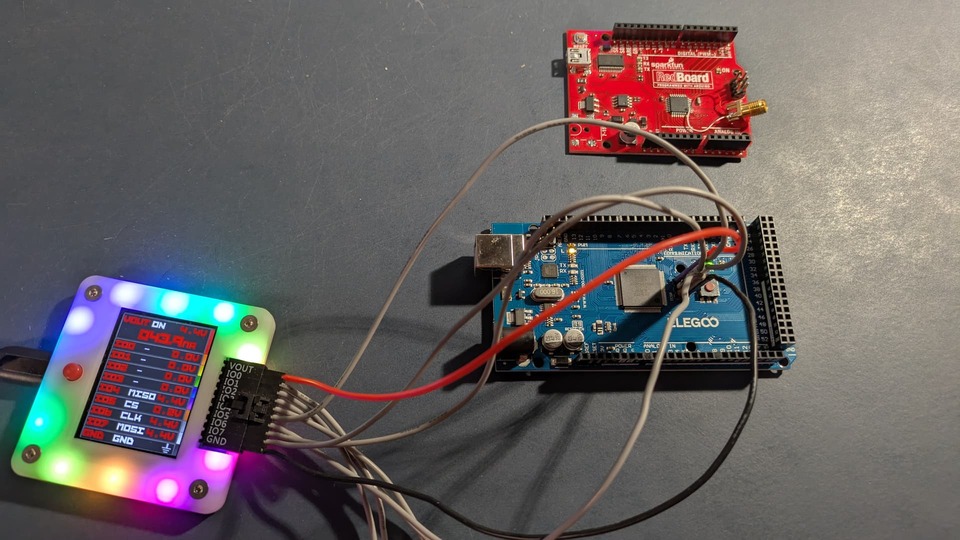
Either way, I guess I’m happy just making what I started with work. I’ve ordered a couple of dev boards (ATmega128 and an ATmega2560) to work with. It may be a bit before I get them and get it all worked out, but I think that’s probably OK for now.
@chickendipper - you can read your board using the BP6 version posted here: AVRDUDESS Flash dump error - #50 by Dreg
The only thing with that version is that it may fail on older AVR parts with flash size less than 64Kbytes.
As always, thanks everyone for your patience and great feedback!
Matt