BPIO2 binmode, Python and i2c scan

I just started using the BPIO2 flatbuffer interface and wrote an I2C module (For the Teensy CTF).

I didn’t seen an i2c scan example. So I looked at the code, and added to lines to the hello_world.py example:

    # Show configuration with individual setters (less efficient but demonstrates API)
    print("Setting additional configurations...")
    i2c.set_mode_bitorder_msb()
    
    # I added these two lines
    Found=i2c.scan()
    print(Found)

And the scan prints out every I2C address. If I use the command line, it works. Am I using it wrong?
2 Likes
            #if result is not None:
            if result is not False:

Good catch, thank you. I pushed a fix, and an example scan in i2c_demo with HEX output. The lines to change are 81 and 89 in bpio_i2c.py: from None to False.

def i2c_scan_example(client):
    """I2C Scan example with status display."""
    i2c = BPIOI2C(client)
    # Configure I2C with all hardware settings
    print("Configuring I2C interface...\n")
    if i2c.configure(speed=100000, pullup_enable=True, psu_enable=True, 
                    psu_set_mv=3300, psu_set_ma=0):
        
        Found=i2c.scan()
        # Print as hex
        print("I2C Scan Results (Hex):")
        for addr in Found:
            print(f"0x{addr:02X}", end=' ')
1 Like

I updated, and there is still a problem. The command line gives me:

I2C> scan
I2C address search:
0x42 (0x84 W) (0x85 R)

Found 2 addresses, 1 W/R pairs.

And i2c_example.py gives me:

Connected to Bus Pirate on /dev/ttyACM2
Configuring I2C interface…

Current mode: I2C
PSU enabled: True
PSU voltage: 3309mV
PSU current: 3mA
Pull-up enabled: True

Reading 8 bytes from device 0xA0, register 0x00…
Failed to read data from I2C device

2 Likes

Try dropping the speed to 100khz? I noticed it was 400 and that’s a bit high for random probing.

1 Like

I’m using the example unchanged, which sets speed to 100000.

Same error.

2 Likes

Is the address 0xa0? Does it work in the terminal?

A uc acting as a slave can be weird.

1 Like

I get this in command mode

I2C> scan
I2C address search:
0x42 (0x84 W) (0x85 R)

Found 2 addresses, 1 W/R pairs.

It’s the Teensy CTF. I could try some other random I2C sensors.

2 Likes

Ah okay so use that address instead. It’s not the default 0xA0 used by the example.

You’ll have to see if it asked for 8 or 7 bit address. Maybe 7? I’m away from docs.

1 Like

Sorry. My mistake. I assumed the example included a i2c scan. Thanks.

1 Like

I’m still having a problem getting the python i2c scan to work using the example. This is low priority issue, by the way. Enjoy the holidays.

No addresses are returned. To make sure it wasn’t the Teensy, I switched to a different I2C device, a temperature sensor. On the command line is shows

I2C> scan
I2C address search:
0x40 (0x80 W)

Found 1 addresses, 0 W/R pairs.

I2C> scan
I2C address search:
0x40 (0x80 W)

Found 1 addresses, 0 W/R pairs.

I2C> si7021
Read temperature and humidity from SI7021/HTU21/SHT21 sensor
Humidity: 52.80% (0x78 0x6a)
Temperature: 21.22C (0x63 0x2c)

I changed one line in i2c_example.py

   #success = i2c_basic_example(client, args.device, args.register, args.bytes)
   success = i2c_scan_example(client)

and I get this result

Connected to Bus Pirate on /dev/ttyACM2
Configuring I2C interface…

Scanning I2C bus from 0x00 to 0x7F…
I2C Scan Results (Hex):

The addresses aren’t showing up. I tried debugging this but I don;t see what is wrong.

2 Likes
C:\bpio2_repo\python>python i2c_example.py --port COM35
Connected to Bus Pirate on COM35
Configuring I2C interface...

Scanning I2C bus from 0x00 to 0x7F...
I2C Scan Results (Hex):
0x5A 0x5B 0x6C 0x6D 0xA6 0xA7 0xAE 0xAF

I don’t see anything obviously wrong with the Python example.

Are all your targets ok with 3.3volts? That is the default the script sets. Do you see voltages on the pins via LCD, and does it look like the pins are being held high?

Does anything stick out if you enable debug output to the terminal?

1 Like

I tried a different set of sensors..A TSL2561 light sensor and a temp sensor.

I’m using 3.3V

CLI:

I2C> scan
I2C address search:
0x39 (0x72 W) (0x73 R)
0x40 (0x80 W)

Found 3 addresses, 1 W/R pairs.

I2C> v
1.Vout  2.IO0   3.IO1   4.IO2   5.IO3   6.IO4   7.IO5   8.IO6   9.IO7   10.GND
3.0mA	SDA	SCL	-	-	-	-	-	-	GND	
3.3V	3.3V	3.2V	3.2V	3.2V	3.2V	3.2V	3.2V	3.2V	GND

Python 3.12.3 on Linux

python i2c_example.py -p /dev/ttyACM1
Connected to Bus Pirate on /dev/ttyACM1
Configuring I2C interface…

Scanning I2C bus from 0x00 to 0x7F…
I2C Scan Results (Hex):

No error messages on the CLI port.

1 Like

What is your os? Is there maybe a difference of true, false, none? I’m sorry, im not sure what’s going on here.

I’ve been looking into it and something doesn’t look right to me..

I can read individual I2C devices using python. The i2c scan does not work. The i2c bus is active but I don’t think the results is being handled correctly.

When I look at the lower level, at the call to transfer, the code for a single I2C read is

data = i2c.transfer(write_data=[device_addr, register_addr], read_bytes=read_bytes)

When I call it by reading 8 bytes from device 0x80, register 0x00, the parameters to the call to transfer looks like this:

write=[128, 0], read=8

But when I do a scan, the code is
result = self.transfer(write_data=[addr << 1], read_bytes=0)

and the arguments are, as run time

write=[1], read=1
write=[2], read=0
write=[3], read=1
write=[4], read=0
write=[5], read=1
write=[6], read=0
write=[7], read=1
write=[8], read=0
write=[9], read=1
write=[10], read= 0

and so on.

Is this right? In particular, the single transfer’s first argument is an array with two elements, and the transfer in the scan is only passed an array with a single element.

1 Like

I’m not 100% sure, but when we call a read address we must then read one byte and NACK it to release the bus.

If we don’t do that, we get ghost addresses because a valid read address wasn’t terminated by NACK after a byte read and the sub device just keeps pushing out data.

However you could be on to something. The Python version just assumes and requests a read with nack for read addresses. The firmware scanner is smart enough to only request a read if the address was ACKed.

I could make a more granular scan function and see if that works for you.

Is there any chance you can record the scan operation on a logic analyzer so we can see whats going on (eg software or hardware issue)?

If I am doing this right, here is what I have. I should first mention that when I try to read I2C with python, it isn’t working right. I thought I had the same setup as before.

I am able to scan I2c in the CLI. This is the logic capture of the command

I2C> [0x80 r:4]

I2C START
TX: 0x80 ACK
RX: 0xFF ACK 0xFF ACK 0xFF ACK 0xFF NACK
I2C STOP
I2C> 


I then issue

python i2c_example.py -p /dev/ttyACM1 --device 0x80 --register 0x00 --bytes 4

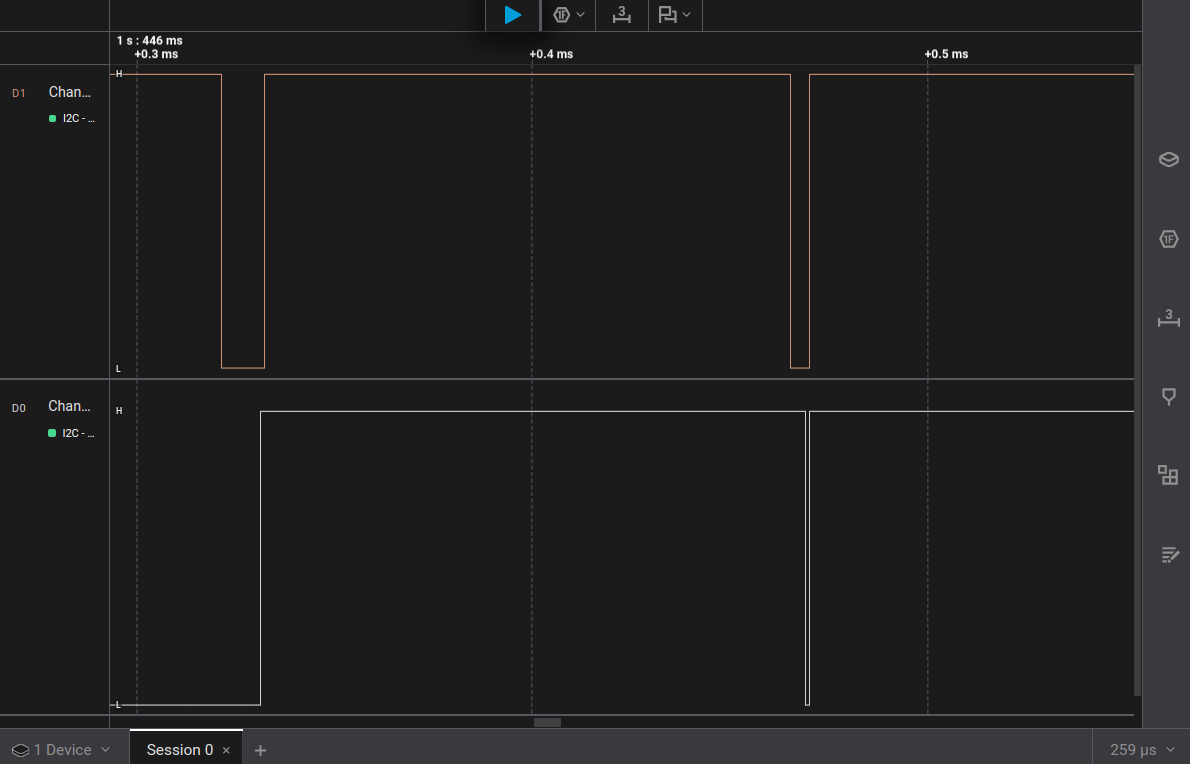
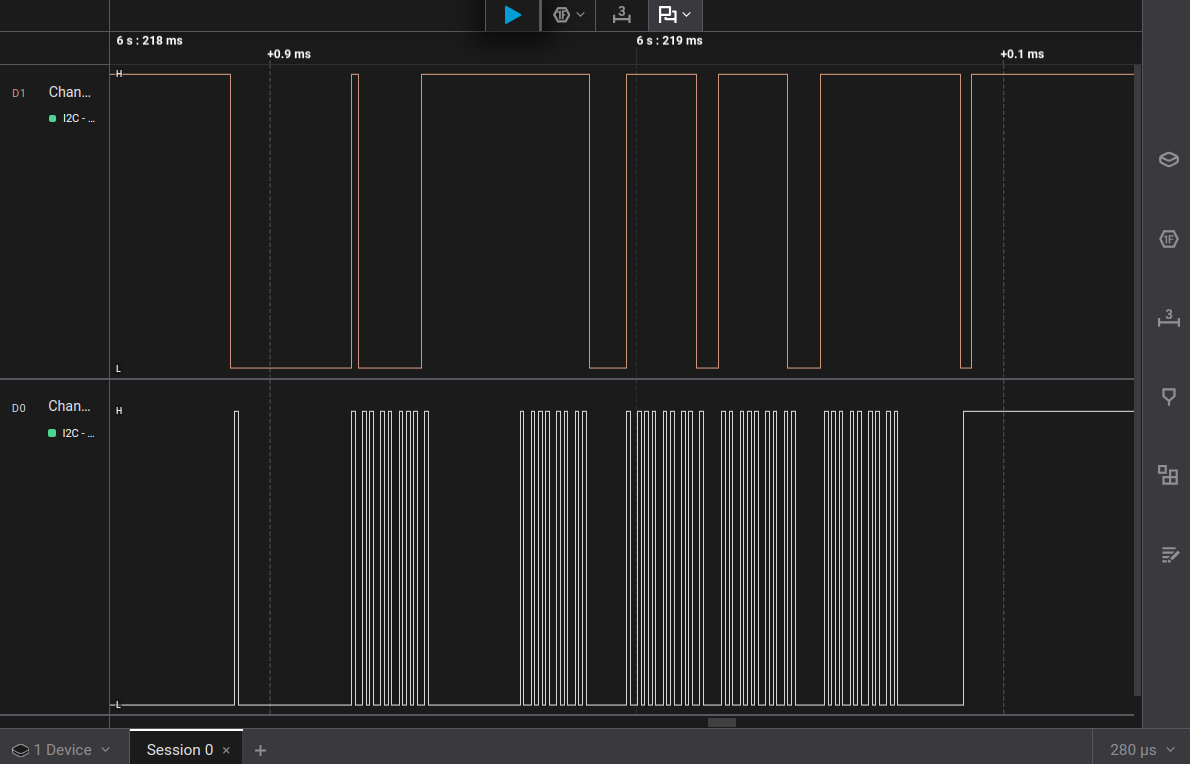
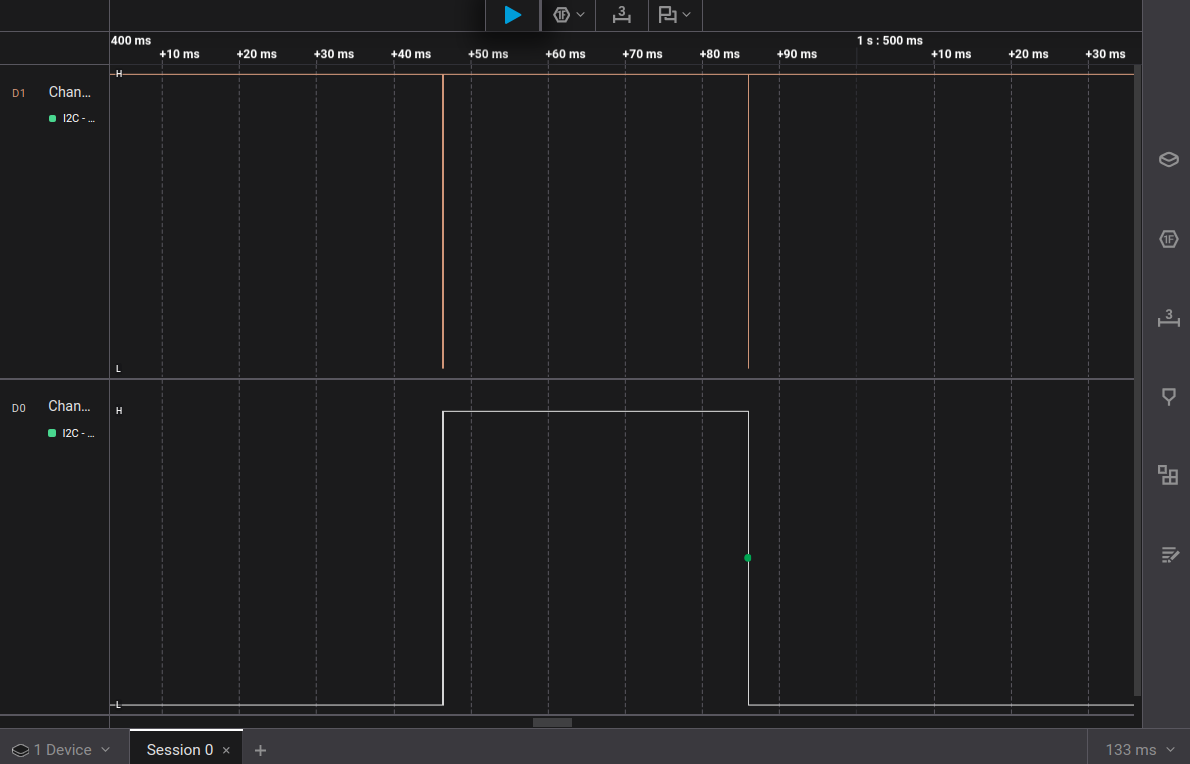
And here are two captures. The first is the overall. The second is when I zoom in over the first pulse

1 Like

Doe it look like you’re getting stop and start conditions but no data bytes?

Yes! Now what do I do?

If enable debug output to the terminal, we can see if the Python script is actually requesting the read/write bytes. It looks like it has the right timing, just nothing is happening. In that case maybe a firmware issue? I’m not sure though, the debug output would be helpful.