GPS modules and resources

GPS came up in the live chat, so I’ve been digging in a bit this morning.
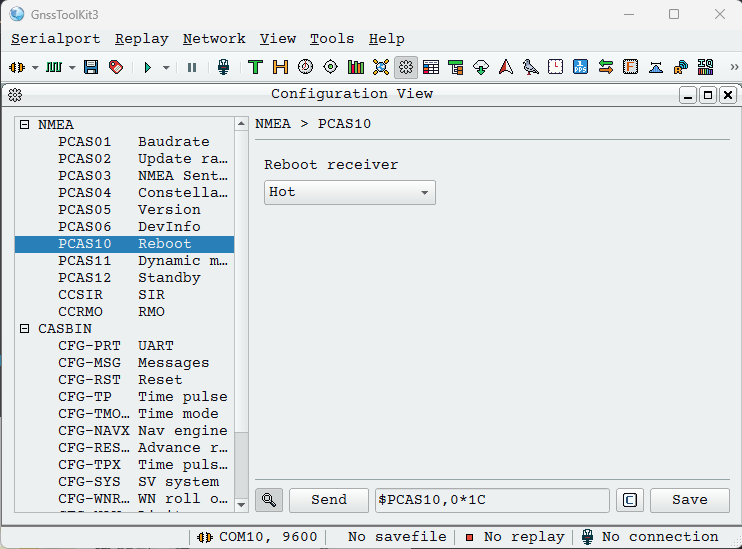
The GnssToolKit3 is a good reference to decoding NMEA and also configuring the gps module. This can be used through the Bus Pirate bridge command in UART mode.

Of course, the Bus Pirate also has a gps command in UART mode to decode common NMEA sentences in the terminal.
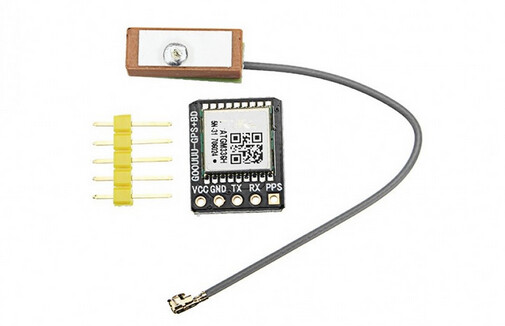
I have one of these, looks like an ATGM336H-5N-31-0, this appears to be the datasheet.

Description PCAS Command
save configuration $PCAS00*01
hot restart $PCAS10,0*1C
cold restart $PCAS10,2*1E >“$PCAS10,2*1E” 0x0d 0x0a
factory reset $PCAS10,3*1F >“$PCAS10,3*1F” 0x0d 0x0a
stationary mode $PCAS11,1*1C
GPS Only $PCAS04,1*18
BSD Only $PCAS04,2*1B
GPS+BDS $PCAS04,3*1A
GPS+GLONASS $PCAS04,5*1C
115200 Baud $PCAS01,5*19 >“$PCAS01,5*19” 0x0d 0x0a
0.2 Hz $PCAS02,5000*2A >“$PCAS02,5000*2A” 0x0d 0x0a

According to this page it accepts “$PCAS” instructions for configuring baud rate, sample speed and other stuff. I have not used these before, and searching around it seems uncommon.

I was able to hot reset and change the baud rate.

One huge issue seems to be that I just bought a tiny/cheap GPS on Taobao, and with that comes complete lack of proper documentation.

Is there a well built, well documented module that might be a better option?

Trying the module with GnssToolKit
image

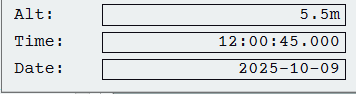
Out the window, after about 2 minutes, I get time and date info. Nice! 5.5m is probably not right, I am almost certainly ~2m below sea level on the ground floor here (according to the water level display at city hall).
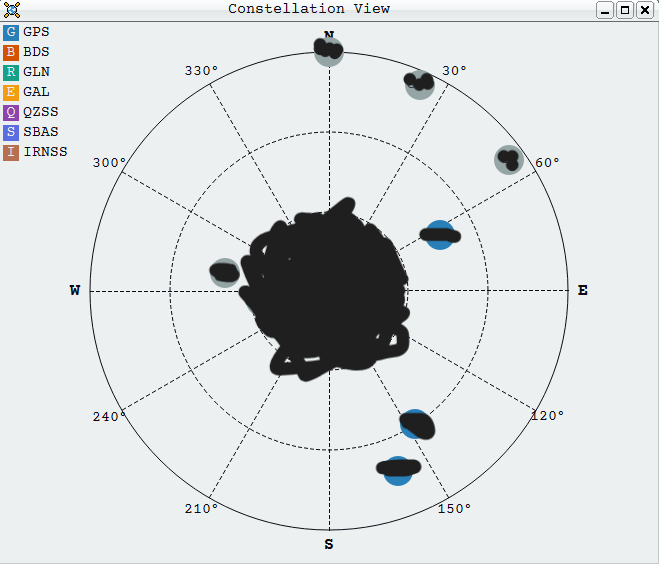
When it gets a lock the constellation view is very cool. However, it only sees a few satellites compared to my phone (36!).

1 Like

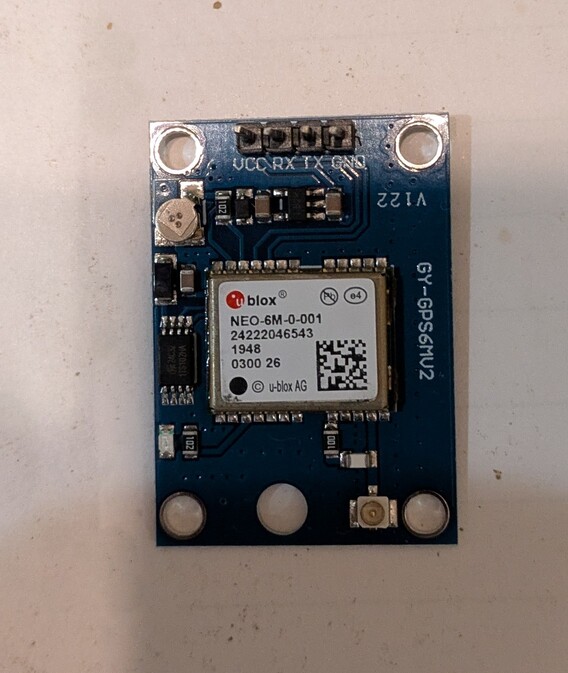
Haha, saved me some of the footwork I was going to be doing yesterday! The modules I bought also came complete with no docs. I looked up the part to get the datasheet. It looked like every module I browsed was like that.

Only 4 connections, VCC, TX, RX, and ground. Not much to mess up :man_shrugging:

1 Like

Interesting. That seems to be a major brand, with a proper website. The 6M is deprecated.

  • Neo-m9n appears to be the replacement. (~$15-20)
  • ZED-F9P adds RTK (real time kinetics) which increases accuracy to CM level. It is not clear to me if RTK is in the module, or requires UBLOX subscription/internet connection. A comment at sparkfun mentions pulling RTK data over mobile network, so I assume it is correction data written into the module? ($80-$90)
  • ZED-X20P seems to be the up and comer.
1 Like

I was going for the most basic GPS at a cheap price point. I didn’t need GNSS or anything else, so I figured older was just fine. I was just looking to at GPS to my ALPR war driving setup (an ESP32S3).

Heck, maybe there were used and reclaimed - that would explain the pricing

1 Like

Exactly what I did myself :slight_smile: Probably the cheapest “small” GPS I could find.
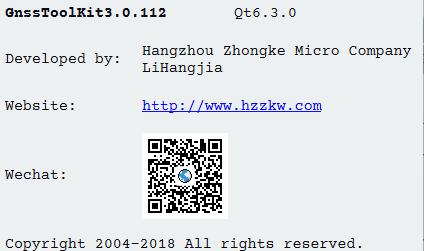
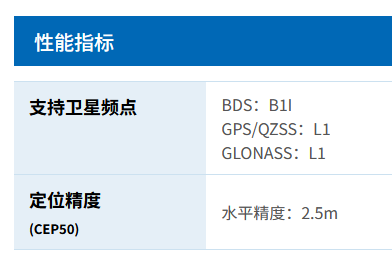
Noticed something interesting: my GPS is made by ZhongKe Microelectronics and so is the open source GnssToolKit.

Here is the page for the GPS unit I have: ATGM336H-5N.

They seem to have a 332 (larger package) and 336 (small package) parts. ATGM336H-F8N76 seems to be the newest. I’d guess the -F8N means it is the equivalent of the ublox -M8P types. They seem to have similar models for ublox 5/6/7/8 and similar specs.

Modules with the -F8N76 are pretty rare, but available.

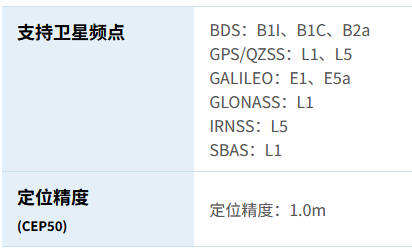
The big advantage -x9x vs -x8x is the ability to lock 4 different GNSS instead of just 2. That means that tracking satellites in GPS / QZSS, GLONASS, Galileo, BeiDou networks all at once. Curiously the ublox M8P does not support the EU galileo network.

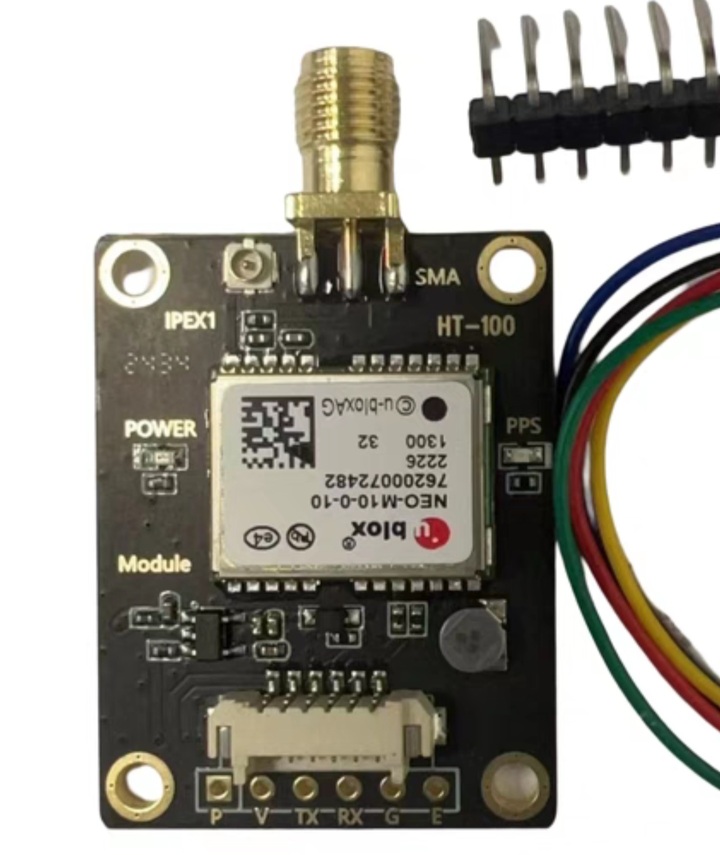
I’ll get a ublox -M9N and ATGM -F8N76 to play with, on a breakout with a proper SMA connector instead of the tiny button thing. Should I send them your way as well?

2 Likes

Thanks, but I’ve already ordered something else to try :slightly_smiling_face:

2 Likes

Looks like my new GPS module will be here early next week. I can work on the device demo when I get them. I can use my 5 for that :slightly_smiling_face:

2 Likes


Bought the ublox and other GPS module.

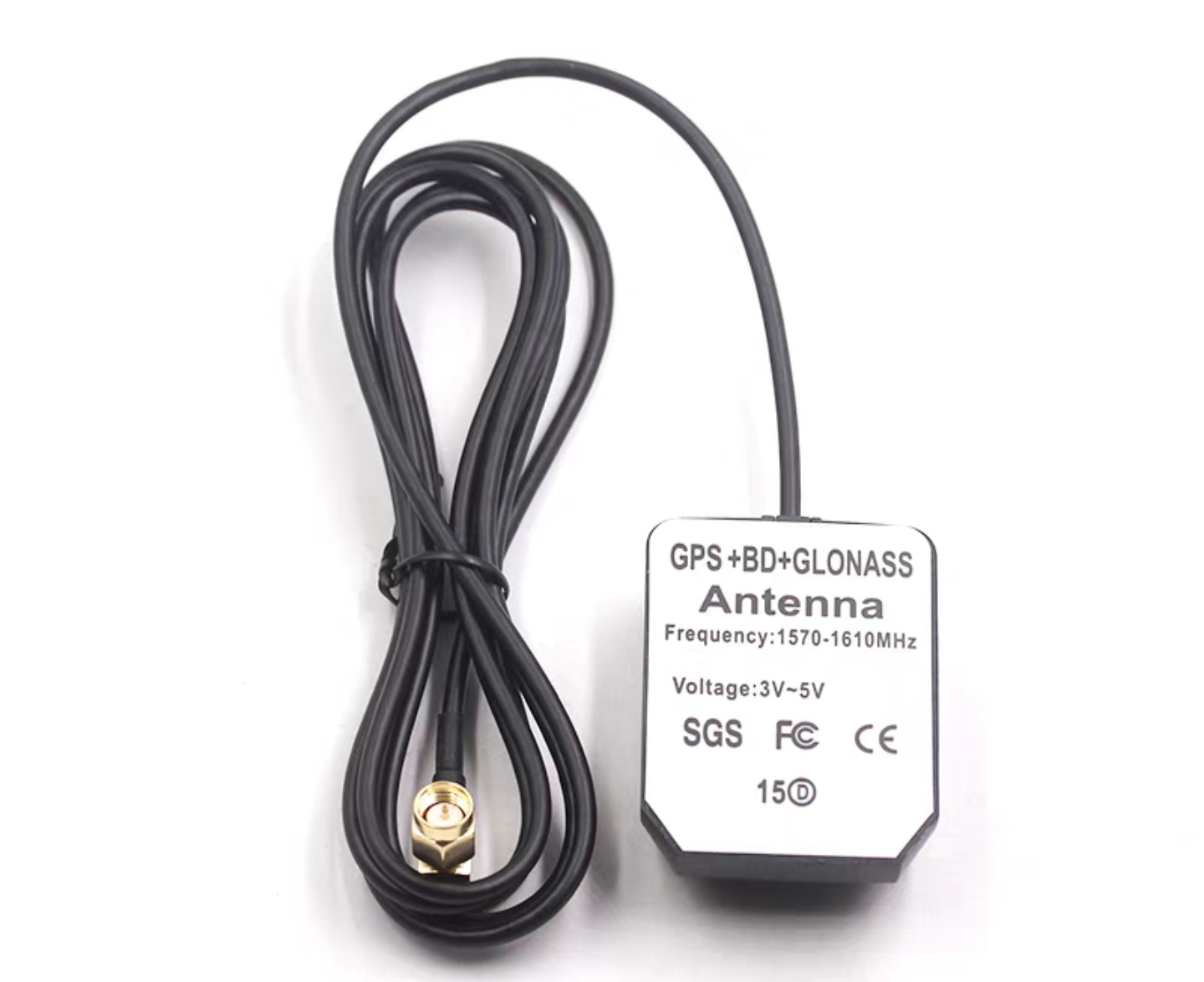
Got a few different antennas as well. Hopefully this can go in the window and connect to a module on my bench.

I bought a GPS specific antenna, one for GPS plus BD (Chinese system on different band), one for GPS, BD and GLONAAS. Curious if they’re actually better tuned for the different frequencies.

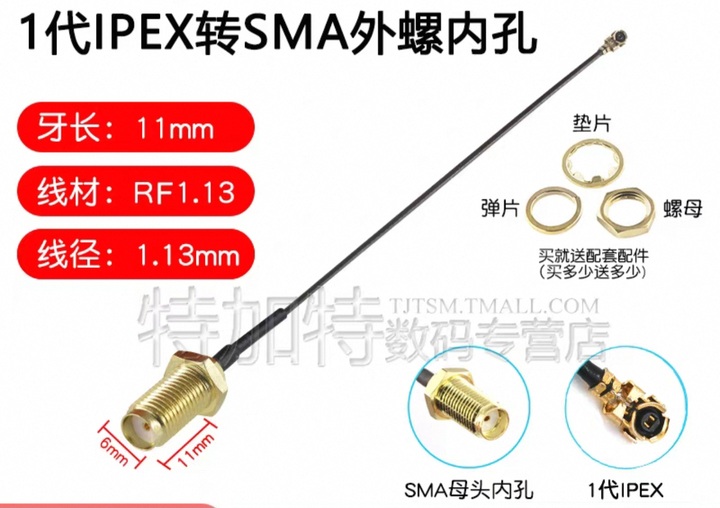
Finally, a SMA to IPEX adapter to use the antennas with my existing non SMA modules.

2 Likes

I’ll check on my ZedF9p. I think RTK goes both ways. 1. The Zed receives and compares 2 bands at the same time to determine ionospheric errors, compute RTK on chip, and output. 2. Zed can ingest RTK and make use of it on chip. Both bypass the need for offchip processing.

3 Likes

Well, that looks a lot better

HiZ> m uart

Mode: UART

Use previous settings?
 UART speed: 9600 baud
 Data bits: 8 
 Parity: None 
 Stop bits: 1 
 Hardware flow control: None 
 Signal inversion: Non-inverted (Standard) 

y/n, x to exit (Y) > 

Actual speed: 9600 baud
UART> W 3.3
3.30V requested, closest value: 3.30V
300.0mA requested, closest value: 300.0mA

Power supply:Enabled
Vreg output: 3.3V, Vref/Vout pin: 3.3V, Current: 26.1mA

UART> gps
Press any key to exit
$GPTXT,01,01,02,u-blox ag - ww,99.99*30
$xxxxx sentence is not valid
$GPGLL,,,,,,V,N*64
$xxxxx sentence is not parsed
$GPRMC,,V,,,,,,,,,,N*53
$xxRMC: raw coordinates and speed: (0/0,0/0) 0/0
$xxRMC fixed-point coordinates and speed scaled to three decimal places: (0,0) 0
$xxRMC floating point degree coordinates and speed: (nan,nan) nan
$GPVTG,,,,,,,,,N*30
$xxVTG: true track degrees = nan
        magnetic track degrees = nan
        speed knots = nan
        speed kph = nan
$GPGGA,,,,,,0,00,99.99,,,,,,*48
$xxGGA: fix quality: 0

I can work with this :slight_smile:

3 Likes

Excellent! Is this one of the new modules?

1 Like

Yes. Still an older model, but at least it works!

3 Likes

Here are some projects that have good support for a variety of GPS/GNSS chips:

GPSd - drivers · master · gpsd / gpsd · GitLab has support for just about everything with public documentation going back 20 years.

Meshtastic - firmware/src/gps at develop · meshtastic/firmware · GitHub - uC based project that supports a bunch of chips which are common in maker type pr today. Focus on battery life means that they do a fair amount of modifying the configs to enable low power modes, so let’s or examples of making config changes using a bunch of vendor specific strings.

SEMU Consulting · GitHub - these folks are doing some awesome work with PyGPSClient which aims to be an alternative to the vendor specific gui config apps for gps chips. They’ve been putting out python libraries for a number of different vendor specific protocols.

4 Likes

Thanks! I already use Meshtastic, but never looked at their gps code. The scheduling and power savings stuff will help my project.

maybe I’ll finally add gps to my mobile mesh node, lol

2 Likes

Those are all really great resources, thank you for sharing.

Reading through the python project docs greatly increased my understanding of the augmented positioning systems.

A few notable things:

  • ublox disabled PointPerfect L-band in EU and soon in US. Not that this really matters because the service is not available to individuals, but SparkFun had a deal where you could share their account for $600/year. For hobbyists this feature is just a bit of noise.
  • The wireless (non internet) augmentation methods have crypto keys and signing certs that need to change every few weeks.
  • rtk2go and others provide free online correction data, internet connection required.

I’ll have a closer look at the pyGPS NTRIP client.

1 Like

I got this link lately:

Some reaserch about sattelite communication and lack of encryption there as a quite common thing.

3 Likes

Just saw that, too. Yet another thing to add to my list of “stuff to check out”, haha

2 Likes

Good read!

Imagine being the dev responsible for memory leaks of private keys and SQL statements being broadcast plain text from space! It wouldn’t surprise me if PHP (and PHP devs) was somehow involved.

What a flex: “More advanced crypt-analytic techniques are required to recover the private key. We developed these advanced cryptanalytic methods”

2 Likes

Just spent an hour in my favorite coffee shop gathering fixes and position data. Should be enough to write up the GPS device demo.

Got some weird looks when I started hooking things up, haha.

2 Likes

Haha! Imagine most people aren’t used to that level of work at a cafe.

I had envisioned an embedded open street map for the docs, and had planned to do my sampling from a major Amsterdam landmark.

Is your favorite cafe anonymous enough to do that? I know the GPS coordinates are there, but that takes effort to find compared to embedding a map.

If so, ill add an open street maps short code to the docs.

1 Like